MistTerm
MistTerm is a free desktop SSH terminal for teams on Windows, macOS, and Linux. The app and mist CLI share one server list. Built-in example commands, short-lived certificates for small teams, command records, and AI multi-host checks (no API key needed for batch ops).
What MistTerm does
Features in the current free release. Fresh installs include example commands and a one-time onboarding guide. Commands are only recorded by default; blocking is opt-in.
One server list for the app and the CLI
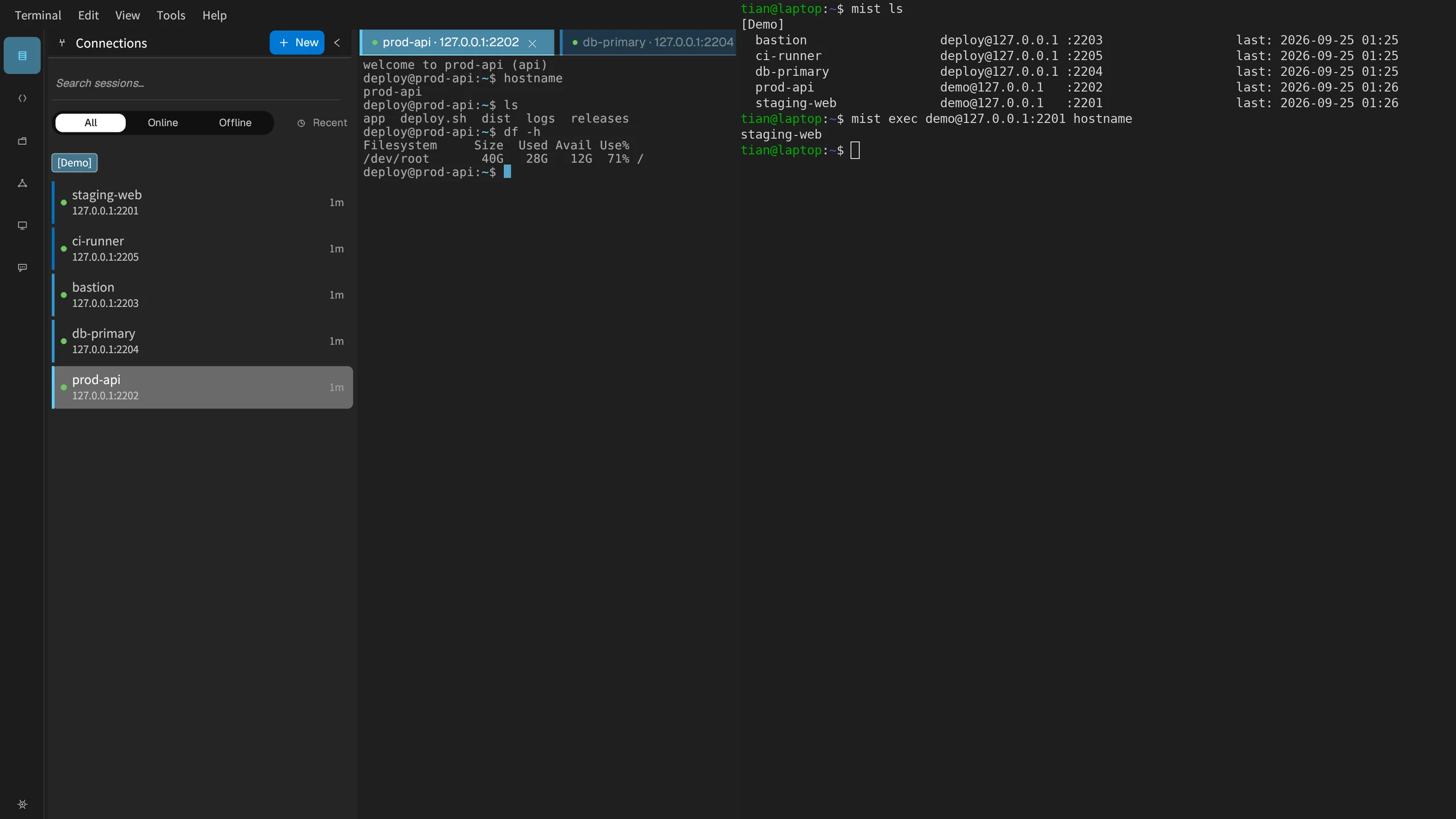
The desktop app and the mist CLI read the same saved sessions. A name you set in the GUI is the name mist ls shows.
AI ops assistant
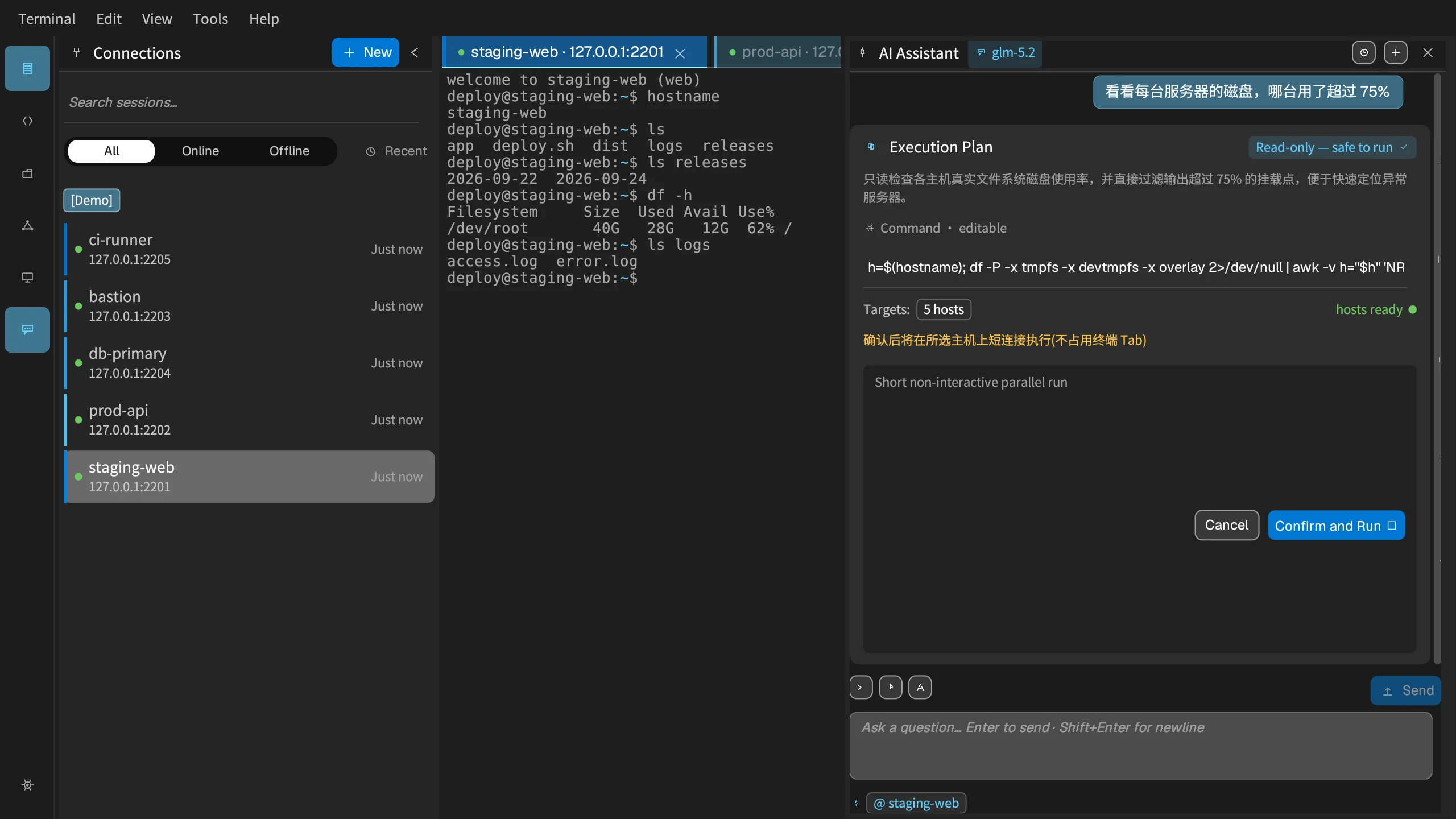
Sidebar assistant for multi-host checks. Batch disk/memory/log plans work without an API key (built-in planner). Confirm before anything runs. Optional BYO model for free-form chat.
File transfer
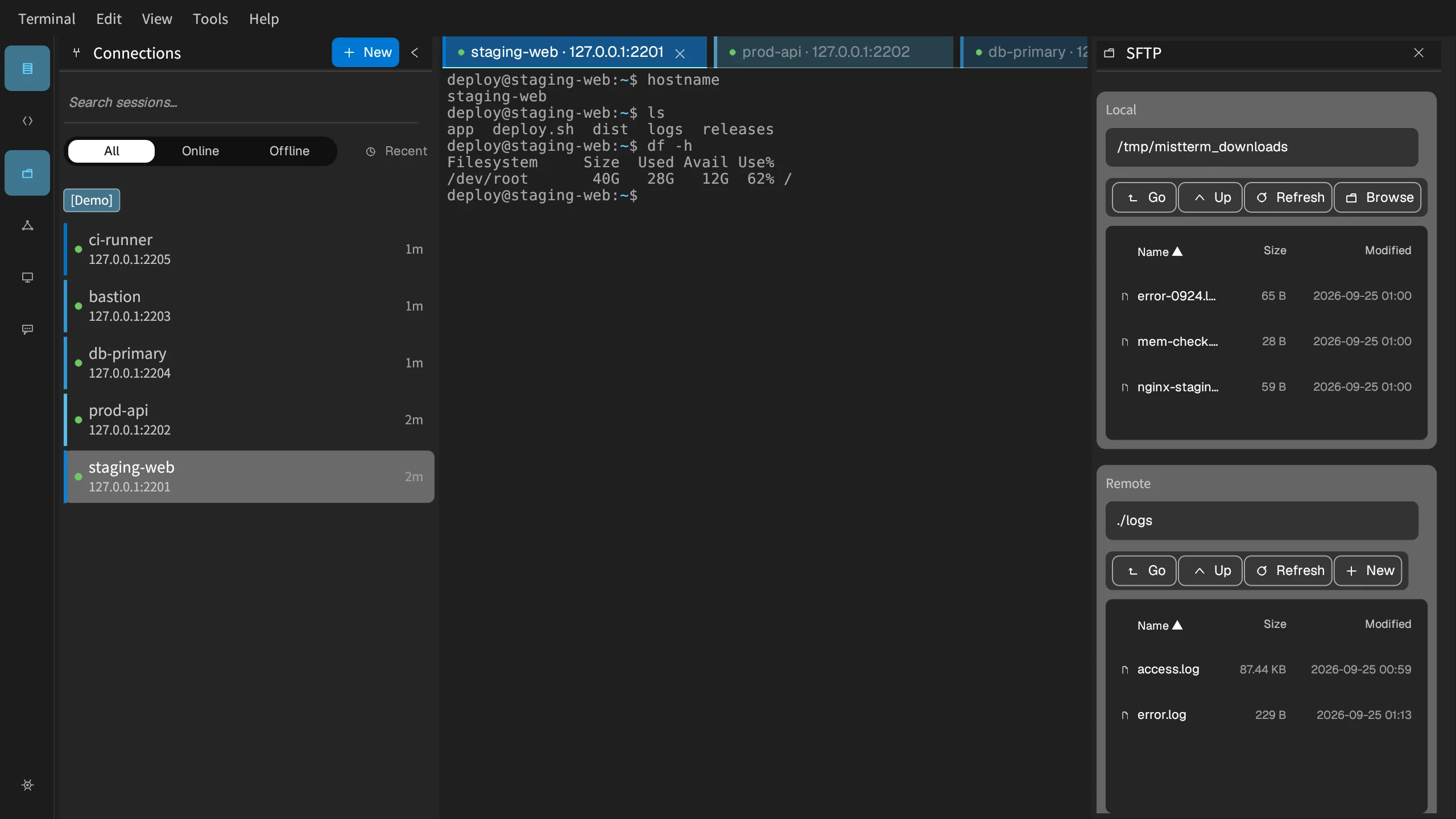
A two-pane file manager transfers files over SFTP, or drag a file onto the terminal window to upload it (ZMODEM). If a transfer fails, the app shows why.
Encrypted passwords and keys
SSH keys and server passwords are stored encrypted on your own computer, so nobody passes around a spreadsheet of logins.
Command records
See which commands ran. By default commands are only recorded; blocking is opt-in. Coverage: snippets, history, AI assistant, and batch runs. Hand-typed interactive PTY input is not covered yet. Server agent only records documented root / ssh-command paths.
Team command library
Fresh installs ship built-in example commands (disk, memory, logs…). Save more templates with blanks such as host or port for whoever runs them.
Themes
Dark and light themes, plus presets you can edit.
Log in with short-lived certificates
Small teams (≤3 members) can use the certificate center: each person gets a short-lived login certificate that expires on its own, so nobody shares a password. Keys stay encrypted in your system keychain.
Cross Platform
Windows, macOS, Linux — one app, same experience. macOS runs as a native GUI app.
Same server names in the app and the CLI
The name you give a server in the app is the name the mist CLI shows. Fresh installs include example commands so you can try a snippet in minutes.
- GUI and mist read the same session file
- Variables such as {{host}} are filled when you run
- Usage stats come from commands actually run
- Suggestions come from commands you saved
- PDF exports include only existing records
Let the AI assistant check several servers
Ask for a read-only check across a few servers. It shows a plan first and runs only after you confirm. Multi-host disk/memory/log checks work without an API key.
- Confirm before a batch runs
- Results come back per host
- No API key needed for built-in multi-host plans; BYO key optional for chat
- The terminal stays in the middle
- It won't start checking servers on its own after install
Transfer files inside the app
Browse remote files in a dual-panel SFTP view, or drop a file on the terminal for ZMODEM.
- Dual-panel SFTP
- Drag-and-drop ZMODEM on the terminal
- A diagnostic when a transfer fails