MistTerm · Team SSH terminal
One team login for servers and docs.
A terminal for your servers. Your team shares commands and docs, with role-based access and command records. Server passwords stay encrypted on your own computer.
MistTerm first — docs and admin as companions
The core product is the team SSH terminal. MistDocs holds runbooks next to it; the console manages members and certificates.
MistTerm
Team SSH terminalShare command templates, log in with short-lived certificates (certificate center open for teams ≤3), review command records, and run AI multi-host checks — without pasting passwords in chat.
- Built-in example commands on first launch; team library syncs when you sign in
- Short-lived certificate login for small teams (≤3 members)
- Command records for snippets, history, AI, and batch runs (hand-typed PTY not covered yet)
- AI batch ops work without an API key; optional BYO model for chat
- Port forwarding, SFTP/ZMODEM, encrypted local vault · Windows, macOS, Linux
MistDocs
Runbook companionSecondary to MistTerm: keep runbooks, API notes, and onboarding next to the commands your team actually runs. Several people can edit the same doc; sheets and the delivery board are optional.
- Real-time collaborative editing
- Steps live in the runbook, not buried in chat history
- Each team's docs are private to that team; set view or edit access per person
- Docs organized in folders
- Send new hires one link to the onboarding docs
- Turn a saved command into a doc in one click; docs can link team snippets, and each snippet links back to its docs
Team admin console
Team ManagementA single page to add or remove members, manage API keys (credentials for automated scripts), and review activity. Each team can turn on its own certificate center; it is off by default.
- Add a member or remove someone's access in seconds
- API keys and event notifications (webhooks) for your automated release pipeline
- Sign in with Google or GitHub
- Activity log: who did what, and when
- Optional team certificate center, so nobody shares login credentials
What it looks like
These are real screenshots. The servers and data come from a demo setup.
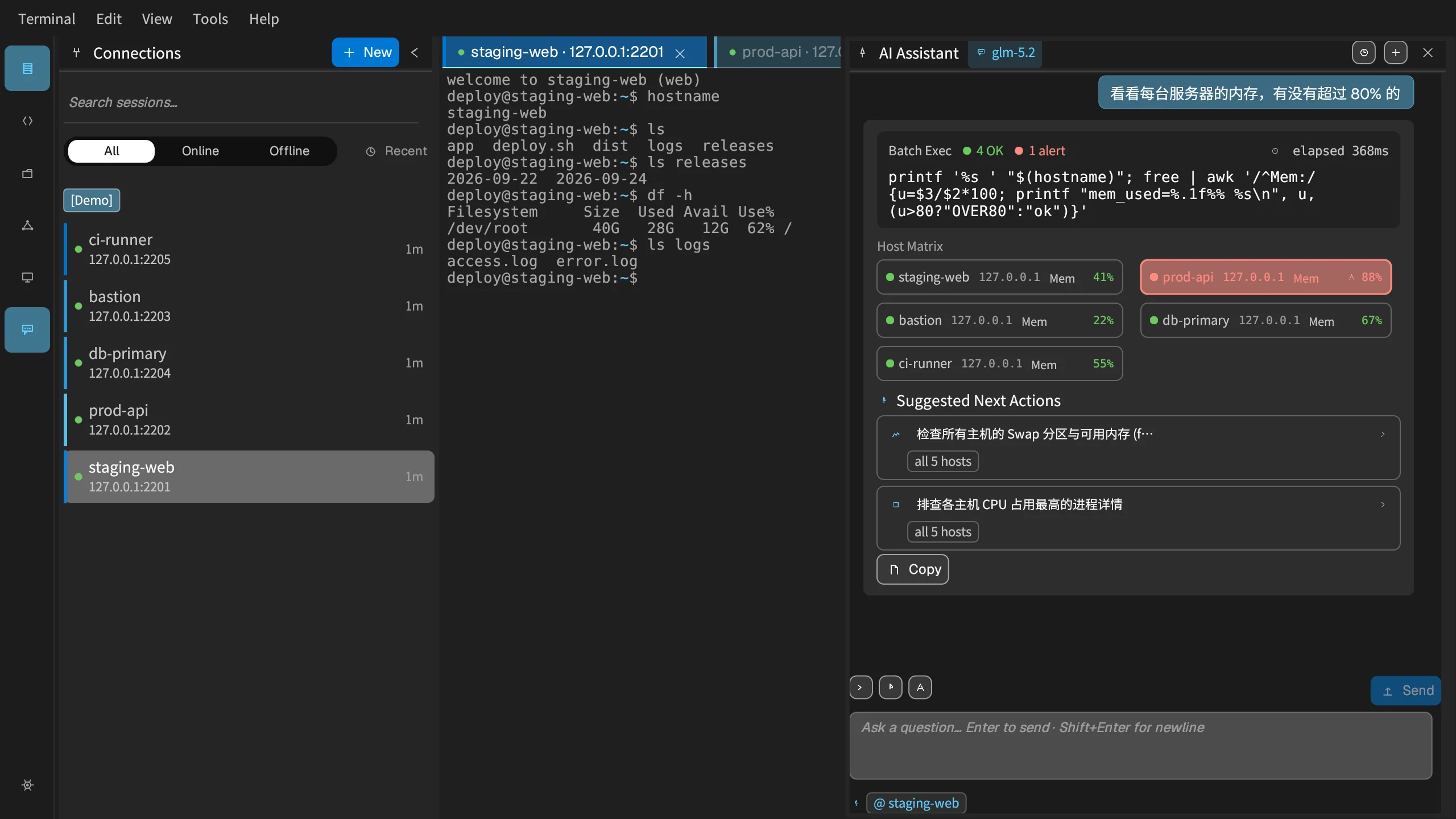
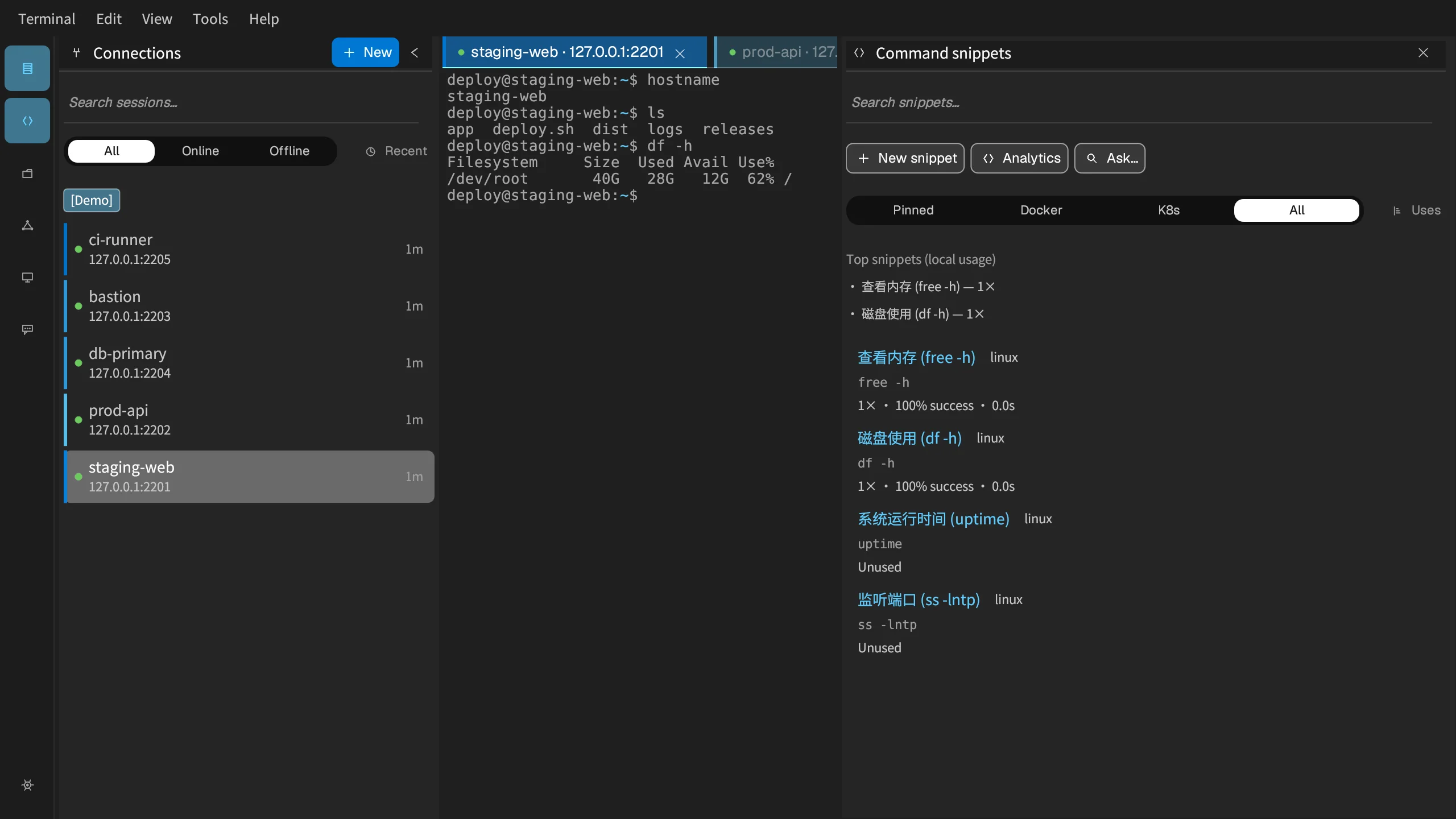
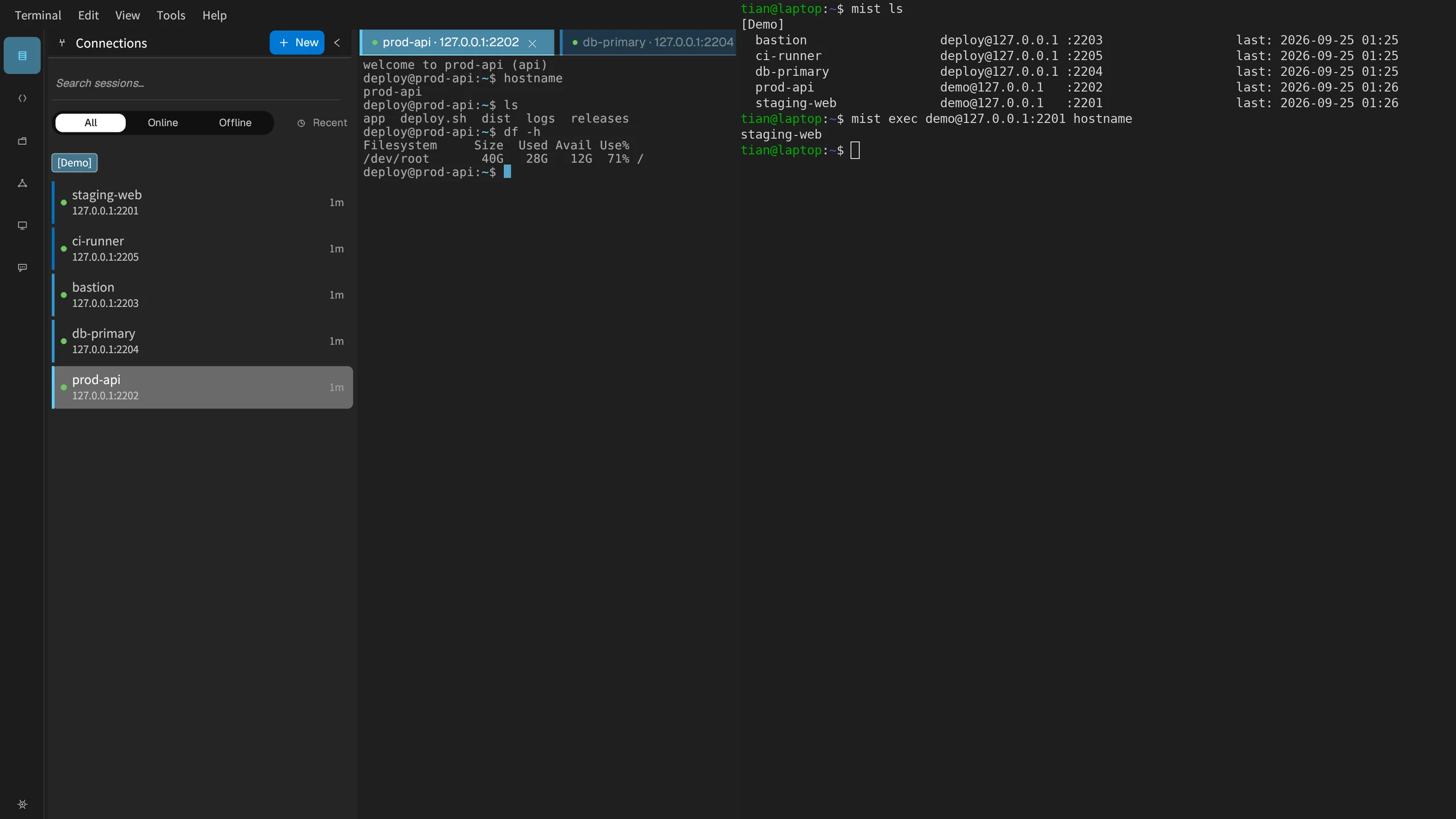
MistTerm
The desktop app and mist CLI share one server list. Fresh installs ship example commands. By default commands are only recorded; blocking is opt-in. Records cover snippets, history, AI, and batch runs — not hand-typed PTY input yet.
- Saved-commands panel with built-in examples on first launch
- Server groups with status indicators
- See which commands ran; hand-typed terminal input is not audited yet
MistDocs
Team runbooks and docs that several people can edit at once, with no more passing screenshots around.
- Rich text editor with Markdown support
- Edit together and see who is making changes
- Version history, so you can restore an earlier version
- Public links for external sharing

Team admin console
Admin console for team members, permissions, and command records.
- Team overview — members, storage, activity
- Command records, with risky commands tagged
- Manage login certificates: issue new ones, revoke old ones
- AI ops assistant in the sidebar (connect your own AI model first)
Built to run in production
Open source, free, and reachable
Read real usage stories, ask questions in GitHub Discussions, or file an issue. MistTerm is AGPL; hosted team features are free for small teams.
MistTerm is free and open source
The MistTerm desktop client and mist CLI are AGPL. Hosted team features are free for small teams. MistDocs is the runbook companion. Join the community on GitHub Discussions.
Create Your Account
Sign up to create or join a team
Welcome Back
Log in to manage your team's saved commands
Your team requires two-factor sign-in. Scan this QR code with an authenticator app (Google Authenticator, Microsoft Authenticator, 1Password…), then enter the 6-digit code it shows.

Can't scan? Enter this key in the app:
Forgot password
Set a new password
Dashboard
团队概况
你在 MistTerm 里自己敲的命令不受影响。只有脚本、AI、定时任务想上机时,才会出现在「自动执行」里,由管理员同意或拒绝。
常用入口
MistDocs
Your Teams
Team Snippets
API Keys
Webhooks
Snippet Templates
Terminal Recordings
Collaboration Sessions
Server Groups
AI Assistant
运维手册
🖥 Server status
📜 Recent activity
🔐 Account security
Two-factor sign-in
After turning it on, logging in with your password also asks for a 6-digit code from an authenticator app on your phone.
Status: Off
1. Scan this QR code with an authenticator app (Google Authenticator, Microsoft Authenticator, 1Password…).
Can't scan? Enter this key in the app:
Status: On
⚡ Quick commands
Pin commands you use often — click to copy, then paste into your terminal.
自动执行 ?
脚本、AI、定时任务要在服务器上跑命令时,会先出现在这里。安全的只读检查可能自动通过;其余要管理员点同意。你自己在终端里敲的命令不受影响。
- 先建一个「脚本账号」,把密钥交给脚本(密钥只显示一次)
- 脚本要跑命令时,会出现在「待你审批」
- 同意后由系统代跑,结果在「执行结果」里看
系统规则不可改;下面可加团队自己的规则(例如某环境某类命令直接通过或拒绝)。
旧版命令确认
这是 MistTerm 旧的确认列表。脚本、AI、自动化请用「自动执行」。